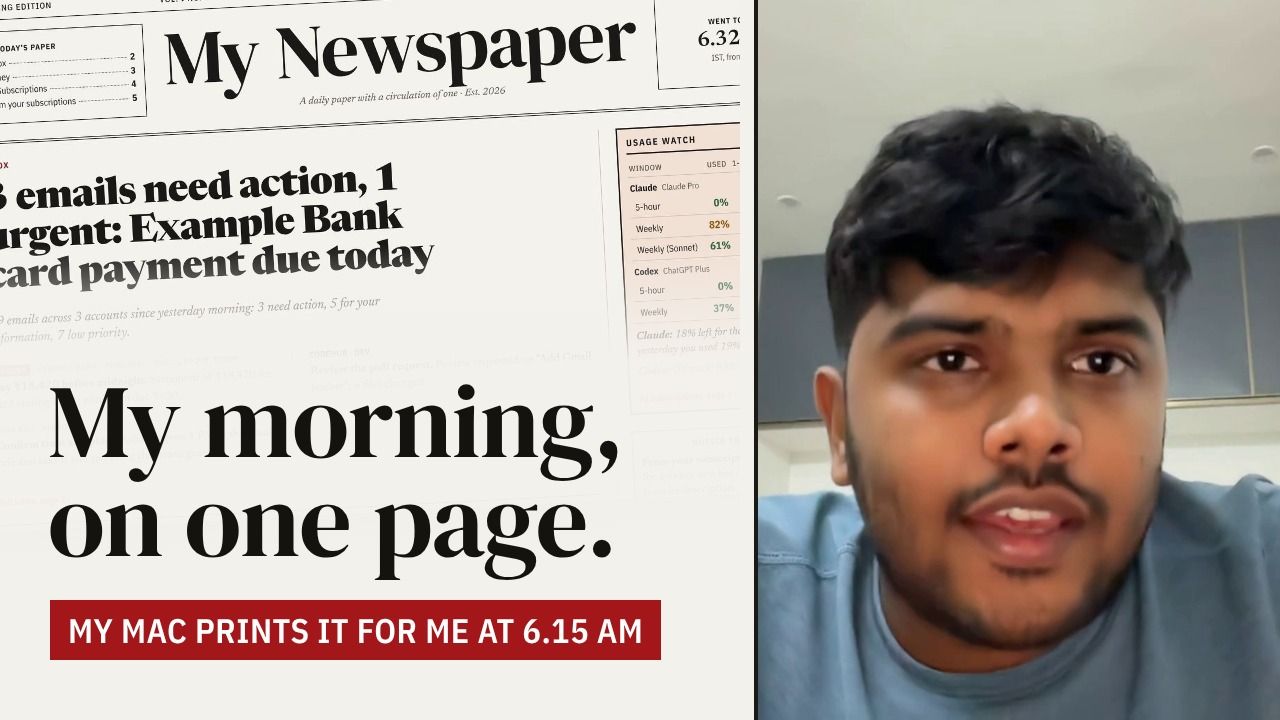
Special editionVol. I · The making ofSaturday, 31 October 2026Printed at 6.15 a.m. daily
My Newspaper
The story of a daily paper with a circulation of one
Goes to press
6.15 a.m.
every day, in about 2 minutes
Front page
A personal morning paper that writes itself before I wake up.
No feeds to scroll, no apps to open. One page, in the style of an Indian English daily, waiting with my morning coffee.
Every day at 6.15 a.m. a small set of scripts on my Mac reads my inboxes, my YouTube subscriptions, my AI plan limits and my spending, and lays it all out as a broadsheet.
This page is the story of how it went from three separate chat ideas to a live paper in about a day and a half, including the parts that broke along the way.
The live paper opens a copy of today’s edition with a real YouTube digest and made-up emails, money and AI usage.
Page 2My Newspaper · The making ofHow it works
How it works
Printed on a MacBook, not in the cloud
From inbox to front page, every morning at 6.15
The paper is printed on my own MacBook, not in the cloud. A scheduled job wakes up at 6.15 a.m., runs each section side by side, stitches the results into one edition, and uploads it to a private site that only I can open.
The morning run: alarm, four reporters, one edition, the login gate, and me with coffee.Tap to enlarge ⤢Describe this sketch
An alarm clock rings over a laptop showing 6:15: launchd wakes the Mac while I sleep. An arrow leads to four circles side by side, the reporters, marked with an envelope (Inbox), a gauge (AI limits), a play button (YouTube) and a rupee coin (Money). They feed one newspaper labelled edition.json, which passes a padlock (the login gate, checked first) and reaches a stick figure holding a paper and a coffee. Two notes underneath: if a reporter crashes the paper still prints with a "didn't run today" note; if the gate is missing nothing uploads, ever. About 2 minutes start to finish.
The alarmmacOS's built-in scheduler (launchd) starts the morning run at 6.15. If the laptop is asleep, it runs the moment I open the lid.
The reportersEach section is its own small Python program: Gmail, AI Limits, YouTube and Money. They run in parallel, and each one writes a single JSON file that follows an agreed contract.
The editorAn orchestrator collects those files. If a section crashes, hangs or writes something invalid, the paper still prints, with a short "didn't run today" note in its place. The front-page lead is picked by simple rules, not an AI.
The writerSummaries come from one LLM call per section, with the code filling in every link, count and date itself. The model only writes words.
The pressA publish script validates the edition, keeps the last 30 days, and uploads it to Cloudflare Pages. Before every upload it checks that the login gate is still in front of the site, and refuses to publish if it isn't.
The readerI open one address on my phone or laptop, sign in with a one-time email code, and read. The page is plain HTML, CSS and JavaScript reading one JSON file.
The one rule: every section hands in a card of data in the same envelope.Tap to enlarge ⤢Describe this sketch
On the left, a stack of JSON cards, each ticked, one per section, plus a dashed "next.json?" slot for a future section; all share the same envelope of title, headline and status. They go to a stick figure at a desk, the editor (the orchestrator), who passes one edition to a printer that only lays it out. A note reads: new section? Add a card. Nothing else changes. That's how four sections got built at once.
Design principleEvery section produces data, not prose. The newspaper is only a renderer. That one rule is what made it possible to build four sections in parallel and plug in new ones without touching the others.
Page 3My Newspaper · The making ofWhere it started
Where it started
30 and 31 October 2026
Three chats, one idea
My Newspaper didn't start as a newspaper. It started as three separate conversations with Claude about three small annoyances: emails I forgot to answer, YouTube videos I never had time to watch, and AI plans that ran out of usage at the worst moment.
Summarise my emails every morning.I get 15 to 20 emails a day across three Gmail accounts, and some slip through. The first sketch: read each inbox with the Gmail API, drop the noise, and group the rest into Needs action, FYI and Low priority. Delivery ideas ranged from a web page to an email digest to a Telegram message.
Tell me what my subscriptions posted.About 90 channels across two accounts, far more than I can watch. The first sketch used a Google Takeout export plus each channel's public RSS feed, with an AI summary per video.
How much of my Claude and Codex plans is left?The first sketch called the same private usage endpoints the apps use, with their saved login tokens. That idea did not survive (see Corrections).
Three questions in three chats became three sections of one paper.Tap to enlarge ⤢Describe this sketch
A puzzled stick figure surrounded by question marks, "too much to follow". Three speech bubbles float beside them: "Summarise my emails?", "What did my channels post?" and "How much AI is left?". Arrows from all three lead into one folded newspaper: one paper, every morning. A note reads: each question became one section of the paper.
Somewhere in the email chat the bigger idea appeared: what if every one of these was a section, and the morning output was a paper? Each source would produce structured data, and one page would lay it all out like a broadsheet.
Early decisions that stuck
Cost must be close to zero. A cloud VM to run it all was proposed and turned down. The laptop I already own does the work.
Sign in with Google, read-only. OAuth with the read-only Gmail and YouTube scopes, so nothing can ever be sent or deleted.
Data first, design later. Agree the JSON shape of every section before writing any section.
How it was built
I built it with Claude in a single project, working like a small newsroom. One conversation acted as the editor, and each piece of work got its own thread: Google setup, contracts, design, one thread per section, one to combine them, one to publish.
Once the contracts were agreed, the Gmail, YouTube, AI Limits, orchestrator and publishing threads all ran at the same time. Code was written and tested in the cloud, copied to my Mac, and run there against my real accounts.
A day and a half, in eight entries
Three earlier chats imported into one project
Google Cloud project and sign-in app set up
JSON contracts agreed, newspaper design approved
Gmail, YouTube, AI Limits and orchestrator built in parallel
Daily 6.15 a.m. schedule installed on the Mac
Site live behind a login, first real edition published
Gmail links fixed, video likes added, X section shelved
Money section live
Page 4My Newspaper · The making ofProofs of concept
Proofs of concept
Nine small experiments
Test the risky parts first
Before any section was built for real, each risky piece was tried on its own, with fake data where possible. Most of these small experiments are still in the codebase as tests and probe scripts.
A lab bench of experiments. "Spiked" is the newsroom word for a story that didn't run.Tap to enlarge ⤢Describe this sketch
A row of labelled jars on a lab bench, one per experiment, with a scientist stick figure. Most jars carry a green "kept" tick; two carry a red SPIKED stamp, meaning tried, learned and dropped. Notes read: small experiments, cheap mistakes; and every probe printed only what was needed to decide, never secrets.
Each card is a page from the lab notebook. Flip it to see what happened next.
Experiment 1 · Hypothesis
Usage check with saved tokens
The private usage endpoints for Claude and Codex return clean numbers.
ResultSpiked
Dropped
Reusing consumer login tokens outside the official apps breaks the terms of service.
Experiment 2 · Hypothesis
Read the official apps instead
Codex has a local app-server that reports rate limits. Claude Code shows the same numbers on its /usage screen, which a script can read from a hidden terminal.
ResultKept
Became the AI Limits section
Both readers run every morning, and neither touches a login token.
Experiment 3 · Hypothesis
Text plus screenshot cross-check
A second reader (an LLM) can confirm the numbers a pattern-matcher pulled from the screen.
ResultTrimmed
Kept the cross-check, dropped the screenshot
The screenshot was drawn from the same text, so it added cost but no new evidence.
Experiment 4 · Hypothesis
JSON contracts and a validator
Four very different sources can share one envelope: title, headline, status, issues, then section data.
ResultKept
Final v1.0 on day two
Every section is tested against it.
Experiment 5 · Hypothesis
A "bad morning" mock edition
The paper can show an expired sign-in, numbers that disagree, a failed section and an unknown future section without breaking.
ResultKept
Drove all the error states in the UI
You can flip between a normal and a bad morning further down.
Experiment 6 · Hypothesis
Design on mock data
A broadsheet layout works on desktop, tablet and phone, in light and dark.
ResultKept
Approved after a 14-fix alignment pass
The design was signed off before a single real email was read.
Experiment 7 · Hypothesis
Fake APIs and a fake LLM
Each section can be run end to end offline, including retries and expired logins.
ResultKept
Every section shipped with these fixtures
So every section could be built and tested in the cloud, away from my real accounts.
Experiment 8 · Hypothesis
Model ping and auth probe
Which models the LLM key can really use, and which way of sending the key each endpoint accepts.
ResultKept
Minutes, not hours
Found the model and header problems in minutes instead of hours.
Experiment 9 · Hypothesis
Metadata-only inbox scan
Which banks send statements, in what format, without reading a single amount.
ResultKept
Shaped the Money section
The parsers were designed from the shape of the mail, not its contents.
The probe ruleThe rule for every probe was the same: print only what's needed to decide, never secrets or personal content. The statement layout probe, for example, replaced every digit with 9 before saving.
Page 5My Newspaper · The making ofThe sections
What's in the paper
Four sections and one feedback loop
Four reporters and one feedback loop
Each section is a small program that writes one JSON file; the paper only lays them out. Here is the front page of the sample edition, with the parts that matter marked.
123456The sample edition. Every name, amount and video on it is made up.
The index ear. Lists the sections that ran today, with their page numbers, like a real paper's "In today's paper" box.
The lead story. Picked by simple rules, not by an AI: anything urgent and due today wins the front page.
Usage watch. A markets-style box for AI plans: how much is used, the change in a day, and when each window resets.
Notice to readers. When something went wrong, the paper says so in plain words instead of hiding it.
Money. This month by category against last month, and the card bill's due date.
Video cards. Every new upload, with a watch, skim or skip verdict.
Page 5aThe sectionsInbox
Inbox
Gmail · three accounts
Three inboxes, one list of things to do.
Every morning it reads three Gmail accounts from where the last successful run stopped, so a missed morning never loses mail. Simple rules first throw away one-time passwords and sign-in alerts. The rest goes to the LLM in a single request, which sorts each email into Needs action, FYI or Low priority.
Needs-action items come with a one-line instruction, an urgent flag and a due date when the email has one. Low-priority mail is only counted, with its top senders. Every item links straight to the thread in the right account.
On the first real run
23read
6filtered as noise
1needs action
9FYI
7low priority
~1minute
The Inbox page, sample edition.
Rules first, then one LLM call sorts what's left into three trays.Tap to enlarge ⤢Describe this sketch
Three inboxes, account 1 to 3, pour envelopes into a sieve labelled "rules first", which catches OTPs and sign-in alerts and drops them. The rest go through one LLM call into three trays: Do, FYI and Low (low is counted only). One letter carries a red "due Fri" tag. A note reads: starts where yesterday stopped, so a missed morning never loses mail.
Page 5bThe sectionsAI Subscriptions
AI Subscriptions
Claude and Codex · printed on pink business paper
A Sensex ticker for my AI plans.
This section answers one question: how much of my Claude Pro and ChatGPT Plus (Codex) allowance is left, and when does it reset? It never touches a login token. For Codex it asks the official Codex app-server for its rate limits. For Claude it opens Claude Code in a hidden terminal, types /usage, reads the screen as text and quits, which uses no plan usage at all.
The LLM then reads the same screen independently. When both readings agree, the numbers are marked verified; when they don't, they are shown but flagged needs check. Claude is read at most once every three hours, because its usage page throttles frequent requests. After a day of history it adds a pace note, such as "at this rate you'll run out before the weekly reset".
On the front page it appears as a markets-style Usage watch box, and its inside page is printed on pink business paper.
The AI page, sample edition.
Two independent readers. If they agree, it's verified; if not, it's flagged.Tap to enlarge ⤢Describe this sketch
A dark terminal window shows "> /usage", "Current week 72%" and "Resets Sun 4 a.m.": a hidden terminal types /usage, then quits. Two stick-figure readers study it, a pattern reader and an LLM reader (a robot), and both say 72%. If they agree, a green VERIFIED stamp; if they disagree, an orange NEEDS CHECK stamp, and the number is still shown, never hidden. A note: no login tokens touched, Codex asks its own app-server, and Claude is read at most every 3 hours.
Page 5cThe sectionsFrom your subscriptions
From your subscriptions
YouTube · two accounts
89 channels, read for me, before breakfast.
It reads the subscriptions of two YouTube accounts through the official YouTube Data API and picks up every upload since the last run. Shorts are detected and hidden (44 of them on the first run) and just counted. Premieres and upcoming streams are labelled as such.
For 22 talk-heavy channels I picked, it reads the transcript; everything else is summarised from the title and description. One LLM request writes, for each video, a one-line takeaway, up to five key points and a verdict: watch, skim or skip. The code fills in every link, duration and count, so the model can't invent them.
On the first real run
89channels checked
22new videos summarised
44Shorts hidden
The YouTube page, sample edition. Channels and videos are made up.
A funnel from 89 channels to a short list with a verdict on each video.Tap to enlarge ⤢Describe this sketch
A funnel takes in 89 channels, drawn as generic shapes, and keeps only what is new since the last run. Shorts are tossed into a bin: 44 Shorts hidden, just counted. Transcript scrolls come from 22 picked channels. At the bottom, three badges: Watch, Skim and Skip. Caption: one line, five points and a verdict per video.
Page 5dThe sectionsMoney
Money
Spending · described here, never shown with real figures
Where did this month go?
My bank and card already email me everything: a monthly statement PDF for a savings account, a monthly statement for a credit card, and an alert for every card spend. Money reads those emails. Statement PDFs are password-protected; the passwords live only in a local file on my Mac.
Each statement parser checks that the rows it read add up to the statement's own totals, so a missed line shows up immediately (on the first run, 6 of 6 statements matched).
Categories are decided in layers: fixed rules first, then the bank's own category, then a saved list of merchants it has seen before. Only a brand-new merchant name is ever sent to the LLM, never an amount or account number. Transfers between my own accounts and card bill payments are left out so nothing is counted twice.
The page shows this month by category against last month, spends since yesterday's paper, top places and the card bill's due date.
The Money page, sample edition. Every figure and shop is made up.
The statement stays locked at home; the LLM only ever sees a new shop's name.Tap to enlarge ⤢Describe this sketch
A padlocked PDF statement whose key stays in the Mac's drawer. A calculator checks that the rows add up to the statement's own total, with a green tick. A shop tag reads "MegaMart" (a made-up name); its amount is covered by a sticky note saying "stays home", because only the name goes to the LLM, a robot, which answers "Groceries". Notes: 6 of 6 statements matched their totals on the first run; own transfers and card bills are never counted twice.
Page 5eThe sectionsLikes
Likes
The feedback loop
The paper is starting to learn what I like.
Every video card has Like and Dislike buttons; tapping the lit one again takes the vote back. Each vote is saved with the video's title, channel and summary to a small key-value store on Cloudflare, behind the same login as the paper.
Nothing is re-ranked yet, on purpose: the plan is to collect two to four weeks of votes first, then let them shape what the YouTube section puts at the top.
Collect first. Rank later.Tap to enlarge ⤢Describe this sketch
A video card with like and dislike thumbs (tap again to undo). Votes drop into a jar labelled "taste", with the title, channel and summary saved with every vote. A calendar shows 2 to 4 weeks, then a list labelled "then: rank". Bottom line: collect first, rank later.
Try it
What a bad morning looks like
Things break: a sign-in expires, two readings disagree, a section crashes. The paper was designed on a deliberately broken mock edition first, so it always prints something honest.
Every section ran and reported in.
The lead story is the most urgent email of the day.
Usage watch shows verified numbers for both AI plans.
Page 6My Newspaper · The making ofStruggles and pivots
Corrections and clarifications
Thirteen of them
What broke, and what we did instead
Every real newspaper prints its corrections. These are ours: the things that broke, the plans that didn't survive contact with reality, and what we did instead. Each one is written as a headline.
Old plans struck through and rewritten, and one section spiked.Tap to enlarge ⤢Describe this sketch
A newspaper corrections column. Each old plan is struck through and rewritten beside an arrow: saved tokens become the official apps, Python certificates become curl, a broken link becomes a fixed link. Beside it, a box for X (Twitter): $0.005 per post, free mirrors dead, with a red SPIKED stamp and a shrugging stick figure: not worth it, yet.
Correction 1
Google won't publish a personal app
What went wrong
The sign-in app had to be "In production", or every login expires after 7 days. The Publish button stayed greyed out, and at least eight forum threads that month reported the same thing with no answer from Google.
The pivot
Built a tiny public site with About, Privacy and Terms pages, verified it in Google Search Console, and listed it in the app's branding. Publish unlocked. The app stays unverified, which is fine for my own accounts: one "Google hasn't verified this app" warning per sign-in.
Correction 2
The usage numbers we weren't allowed to read
What went wrong
The first AI Limits plan reused the apps' saved login tokens to call their private usage endpoints. Reading the terms showed that consumer plan tokens are only for the official apps.
The pivot
Rebuilt it to drive only the official tools: Codex's own app-server, and Claude Code's /usage screen read from a hidden terminal. No tokens are ever read.
Correction 3
Claude showed the bill, not the plan
What went wrong
On my Mac, Claude Code signs in through an API gateway, so /usage showed API costs instead of Pro plan usage. Worse, the cross-check model happily "read" numbers off a screen that had none.
The pivot
The hidden Claude now ignores the global settings file and uses a separate Pro login just for the paper. And the model is no longer allowed to fill in a screen with no usage on it.
Correction 4
The models on the menu weren't in the kitchen
What went wrong
The first-choice models weren't available on my LLM plan's key, and one fallback needed a region setting I didn't have.
The pivot
Every call now goes through a fallback chain, and a one-line ping command lists which models answer before anything relies on them.
Correction 5
"Go requires a credential"
What went wrong
I chose Claude Haiku 5.5 at max effort, and it returned 401 even with a valid key.
The pivot
A probe script tried four ways of sending the key and printed only the status codes. Only one header worked (x-api-key). One-line fix, and Haiku has written the summaries since.
Correction 6
Gmail said slow down
What went wrong
The first six-month scan for bank emails hit Gmail's per-user, per-minute quota on two of three accounts.
The pivot
The scanner now spaces out requests, backs off and retries, and opens only a few emails per sender.
Correction 7
Python didn't trust Cloudflare
What went wrong
The publish script's safety check couldn't open the site over HTTPS. Python installed from python.org on a Mac doesn't use the system's certificates, so it refused every connection.
The pivot
The check now uses curl, which trusts the Mac's own certificate store.
Correction 8
Every email link was a 404
What went wrong
Links in the paper opened Gmail's "Temporary Error (404)" page. Gmail rejects the account-in-path link format the code used.
The pivot
Switched to the account-picker format, and the page quietly rewrites links in older editions too.
Correction 9
Where should a private paper live?
What went wrong
It holds my inbox and spending, so it can't just be a public page. Options: an encrypted public GitHub site, Cloudflare behind a login, or Mac-only.
The pivot
Chose Cloudflare Pages behind Cloudflare Access: one-time email code, one-month session, and both the main and preview addresses covered. Direct upload from the Mac, so the data never sits in a Git repo. The publish script refuses to upload unless it sees the login gate first.
Correction 10
The Mac said no to a background job
What went wrong
macOS blocked the assistant from installing the daily scheduled job, a sensible protection.
The pivot
I ran the one install command myself.
Correction 11
Descriptions aren't enough
What went wrong
On the first run, 17 of 22 videos got "skim", because a description rarely says enough to recommend a video.
The pivot
Transcripts turned on for 22 talk-heavy channels I picked; everything else stays description-only to keep costs down.
Correction 12
Even the builder ran out of AI
What went wrong
Midway through the build, Claude hit its own usage limit and had to pause for about 70 minutes.
The pivot
Proof, if any were needed, of why the AI Subscriptions section exists.
Correction 13
X (Twitter): spiked
What went wrong
I wanted posts from accounts I follow. X's free API tier is gone, the free mirror sites are mostly dead, and scraping with a login cookie breaks X's rules.
The pivot
The only allowed route was pay-per-post, about $7 a month for 10 accounts. Not worth it yet, so the section was shelved.
Page 7My Newspaper · The making ofStack and running cost
The cover price
What it runs on, and what it costs
About $10 a month, and that is the LLM plan
Everything else runs on free tiers or hardware I already had.
Parts of the stack, the tool used and the cost
Part
Tool
Cost
Printing press
My MacBook Air, Python 3.12, macOS launchd at 6.15 a.m.
Already owned
Gmail and YouTube
Google Gmail API and YouTube Data API, read-only OAuth, desktop sign-in
Free
Summaries
OpenCode Go plan. Claude Haiku 5.5 at max effort first, GPT 6 Luna and GLM 5.3 Flash as fallbacks. About 5 to 10 requests a day
Plain HTML, CSS and JavaScript, no build step. DM Serif Display, Newsreader and IBM Plex Sans Condensed
Free
A price tag of ₹0, plus one LLM plan, with the free services stamped around it.Tap to enlarge ⤢Describe this sketch
A big hand-drawn price tag reading ₹0, plus one $10 a month LLM plan. Around it, little stamps for each part of the stack, each marked free, and the Mac marked "already mine".
Why the numbers can be trustedThe LLM writes words only. Links, counts, dates, amounts and IDs all come from the code, so a model mistake can make a summary vague but can't put a wrong number or a fake link in the paper.
Page 8My Newspaper · The making ofWhat's next
Tomorrow's edition
What's next
A paper that learns.After two to four weeks of likes and dislikes, use them to rank the YouTube section.
A proper address.Move the paper to a custom domain of its own.
More money sources.Add other accounts and investment statements to Money.
Pace that predicts.As usage history builds up, the AI section warns days ahead, not just today.
More sections.The contract makes a new section a small, separate job. X may come back if its pricing changes.
You don't need more apps. You need a morning paper.Tap to enlarge ⤢Describe this sketch
Hand-lettered: "You don't need more apps. You need a morning paper." A stick figure reads the paper with a coffee. An alarm clock beside them reads 6.15 a.m., every day, and a seedling in a pot is labelled "next: likes, then ranking".
The best thing about building your own newspaper is that you're the only reader it has to please.